How Eddy works
From a client pointing at their live site to a change you can preview and publish. They do not need a new tool. You do not lose an afternoon.
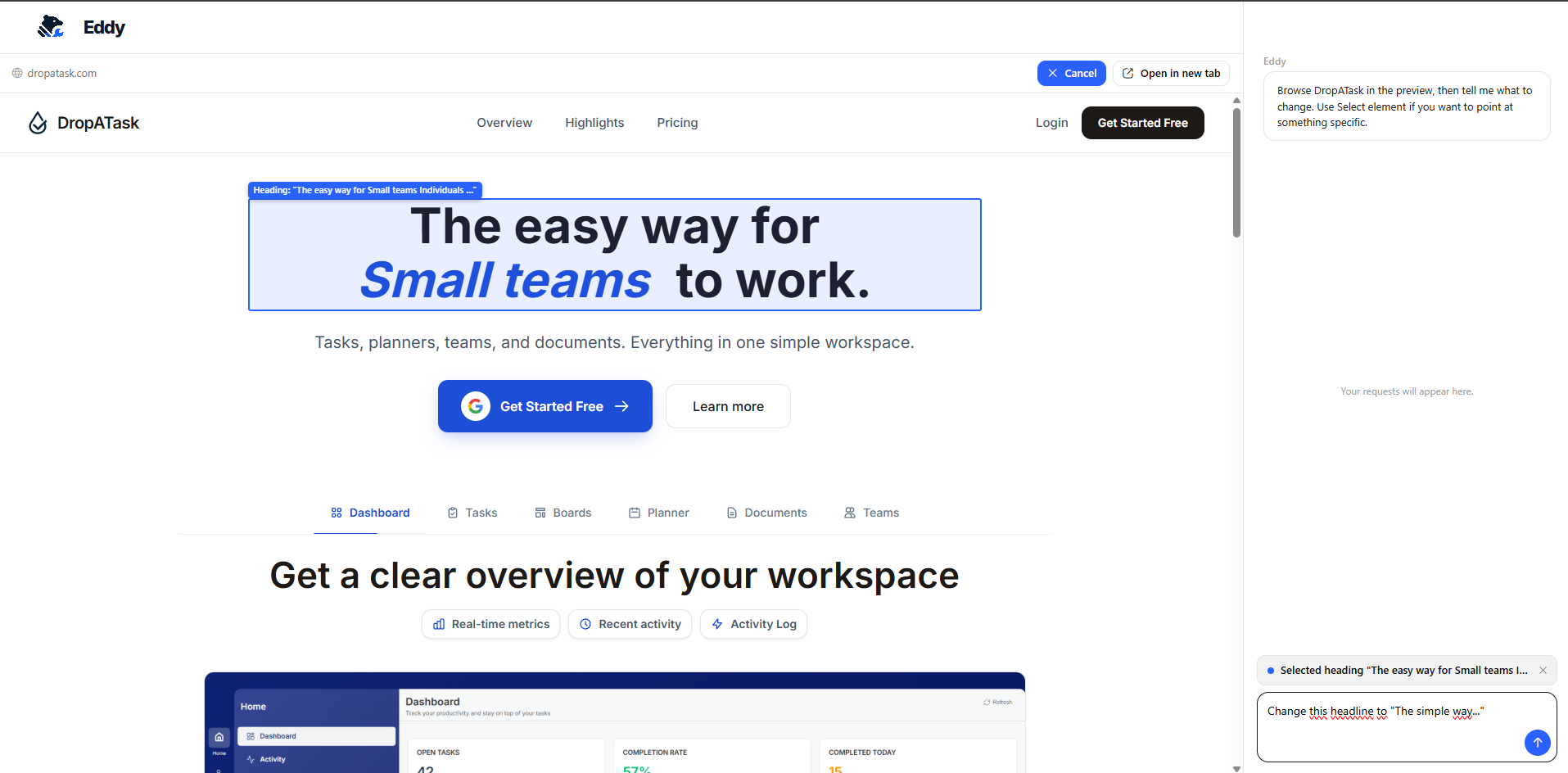
The portal a client sees: their own site, one request at a time.
The four steps
The client points and asks
They open their live website in Eddy’s portal, click the headline, photo, or button they want changed, and type one plain sentence. No GitHub account. No dashboard to learn.
Eddy finds the file and makes the change
Eddy works against a clone of your GitHub repo, finds the right file, edits it, and opens a pull request with context. On connected hosts, a preview build goes up so you can inspect the change before anything goes live.
You review it like any other PR
Skim the diff, check the preview, publish when you are happy. Nothing reaches production outside the merge strategy you chose for that site.
It goes live
With auto-deploy on, the merge ships right away. Prefer to control deploys yourself? Turn auto-deploy off and release on your own schedule.
Merge strategy is yours to set, per site
Sites are not all the same, so merge strategy is a per-site setting. Manual review means nothing merges until you click merge. CI-gated means Eddy’s PRs still need your tests to pass first. Auto-merge lets routine, low-risk changes through once checks are green, so only the ones worth a second look land in front of you. You set the policy in advance. Eddy does not invent one in the moment.
A safety net if something ships wrong
Any pull request Eddy opens, merged or not, can be reverted in one click from the developer portal. Every change is a normal commit on your repo, so undoing it is just Git. No special undo path.
What Eddy will not do
Eddy is for content and styling changes, the long tail of “can you change this text” requests. It is not for feature development. It declines requests for new pages, new functionality, or checkout systems, and sends the client back to you instead of guessing at scope. That keeps every PR small enough to review in a minute.